Why Your ChatGPT Images Keep Getting Worse (and the Simple Fix That Changes Everything)
Your image is almost right and one more tweak makes it worse. Here’s how to break the cycle.
Almost Right. But Not Quite.
Last night I generated an image in ChatGPT that I genuinely liked.
It wasn’t perfect. But it was close. The lighting worked. The composition felt balanced. The mood matched what I had in mind.
So I asked for a small tweak.
“Can you make the background slightly darker?”
The new version came back. The background was darker. But something else shifted. The subject’s face looked a little different. The texture felt softer. The sharpness changed.
It wasn’t bad. Just slightly off.
So I tried again. I even gave it the first image back as context.
“Keep everything the same as the first time. Just make the background a little darker.”
Another version came back. Now the proportions felt subtly different. The lighting changed more than I asked. The original tone was drifting.
I tried to correct it. Then correct the correction. Each time I narrowed the instruction, trying to steer the image back toward what I originally liked.
And each time, it seemed to move further away. Like ChatGPT had completely stopped reading what I was typing.
What should have been a simple 10- or 15-minute adjustment turned into an hour and a half of back-and-forth. Something that should have felt easy caused an amazing amount of frustration…even anger.
Not because anything exploded. But because I could see the image slipping away and couldn’t pull it back no matter what I tried.
By the twentieth or thirtieth iteration, the image no longer reflected anything close to my instructions. Even though I kept trying to re-anchor it to the original image and the iterations I liked by continually uploading them with my refining prompts.
How Almost Right Turns into a Nightmare
After running into this too many times to count as I build articles, I started noticing the pattern.
The degradation almost always happens when I try to iterate an image inside the same ChatGPT thread/session.
The first image is strong. The second is close. The third starts shifting. By the fourth, it feels more like a reinterpretation than an adjustment.
Sometimes ChatGPT can last a few more iterations before totally losing its mind, but definitely by the tenth iteration, the train has come completely off the tracks.
I finally learned what’s going on.
No idea why it’s taken over a year for the lightbulb to go off, but…the issue is that each instruction/iteration doesn’t replace the previous instruction set.
This is the key: The instructions layer on top of one another.
You likely know that ChatGPT works within a context window. So, every time we refine the image, the LLM interprets our new request in light of EVERYTHING already said in that session.
That means it’s not just responding to:
- The image
- Our latest instruction and image upload
It’s responding to:
- The original prompt
- The generated image
- Every follow-up instruction
- Every correction and messed up thing it’s given us
- The ENTIRE accumulated conversation
You aren’t editing a fixed file the way you would in Photoshop. Each generation introduces tiny variations. Individually they’re subtle. Over many iterations, they stack up and compound. More like multiplication than addition.
That’s why refinement slowly starts to feel like watching a slow-motion train wreck.
It isn’t that ChatGPT is ignoring your instructions. Even though it feels like it.
It’s that the context has grown too complicated. The model is trying to satisfy everything at once.
The Braindead Simple Fix That Changed Everything
Last night, it finally hit me. Stop trying to rescue images inside long threads. Just stop.
Now, once I get a version of the image I like, I do something simple.
I save it to my hard drive.
Then I start a brand-new ChatGPT session.
I upload the saved image fresh.
And I give one narrow instruction on how I want it corrected.
One.
For example:
“Replicate this image except instead of the blue background, make the blue 30% lighter.”
Or, “Replicate this image except change the oak tree to a cedar tree.”
That’s it.
And…bam…it works.
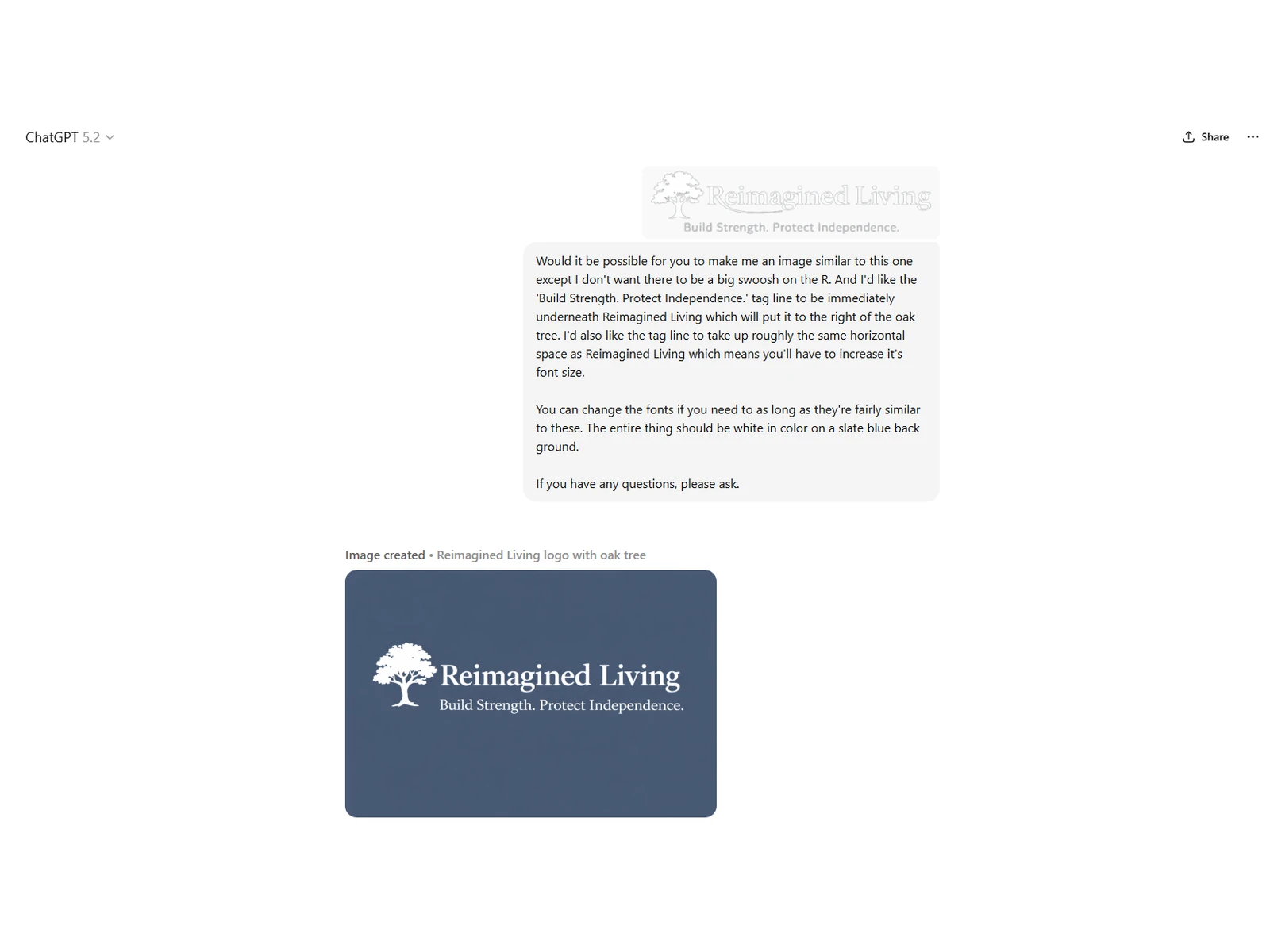
Usually, the first image comes back just like I want. If not, I’ll try to adjust it for one or two more rounds until it’s perfect.
If I need more changes than I can do in two or three rounds, I repeat the process.
Save the best example of what I’m looking for. Start a new session. Repeat the simple, direct, exact changes I want made.
Wash. Rinse. Repeat.
It feels almost too simple.
But it works because it removes all the accumulated context. The system is no longer juggling rounds of prior iterations. It’s simply responding to a stable image and a single request.
This one thing is going to save me (and I hope you) so much time!
If you’d like to know when I post more articles,
please enter your e-mail below.
Most Recent Posts
-
Why I Was Working But Making No Progress (and What Fixed It)
The particular frustration of working all day and still feeling like nothing has moved.
-
Unseen Work to Build Families
Dedicated people make the world work, almost always in ways nobody sees.
-
Why Your ChatGPT Images Keep Getting Worse (and the Simple Fix That Changes Everything)
Your image is almost right and one more tweak makes it worse. Here’s how to break the cycle.
-

Living in Yesterday’s Provision
Are you already living inside answers to prayers you’ve long forgotten praying?
-
Living in Healthy Tension
What My Unraveling Life Taught Me About Stability, Health, and Relationships
-
What AI Actually Teaches You (That No One Mentions)
Just like anything worthwhile, learning to use AI takes effort, failure, and lots of time.